
Release Notes of SecureClaim version 2.0.55
Highlights
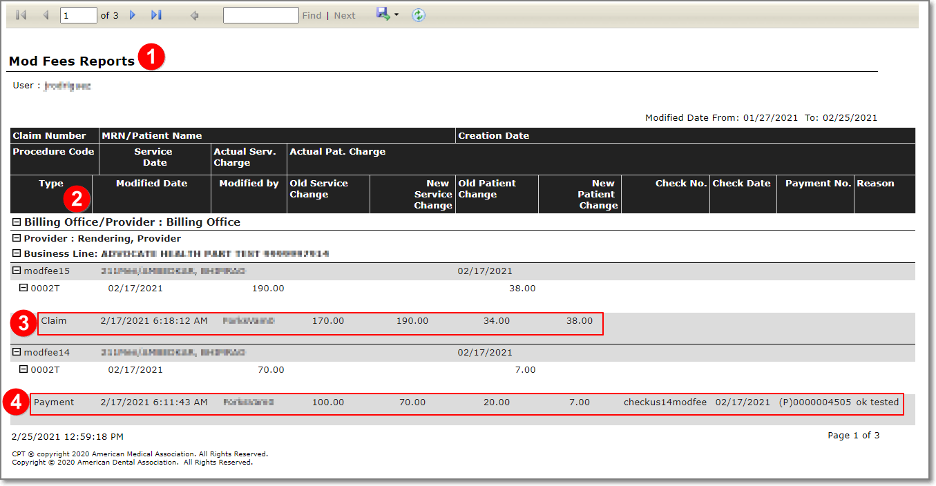
- At the forefront with your audit processes! Now, can see more information on the Mod Fee report.
- Your time is valuable! Therefore, claim history can be seeing from the Claim Tracking.
- SecureClaim continues looking ways to help you improve the work quality! Now, you can dispute a claim from the dispute button in the Actions area on the ck.
IMPROVEMENTS
Front Office
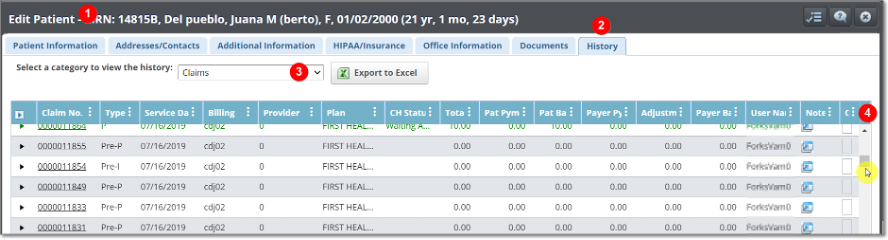
The header row in the Patient history on the demographic is freeze
Claim Center
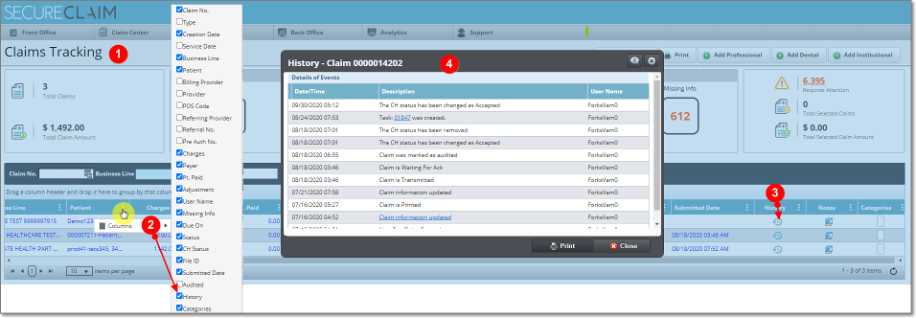
Now you can see the Claim History screen from the Claim Tracking. Was added as a new hidden column called History.
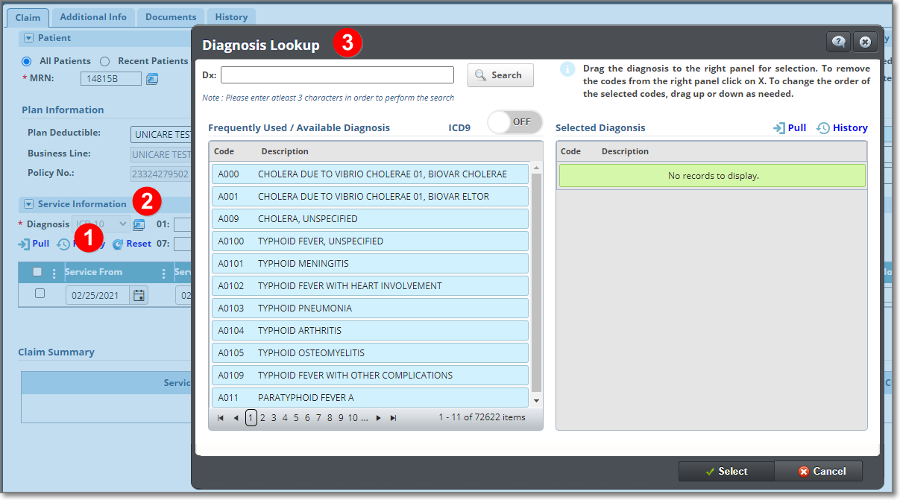
Now you can Reset all the claim Diagnosis fields by clicking the Reset button in the diagnosis area. Also, the diagnosis lookup search window on the claim has been updated. Now, you can see the list of diagnostics used and those marked as favorites. Also, you can see the list of diagnoses according to the search characters. The selection or deletion of the codes will be done with the drag and drop functionality.
The Local Coverage Determination (LCD) was updated and, the Article Policy were added.
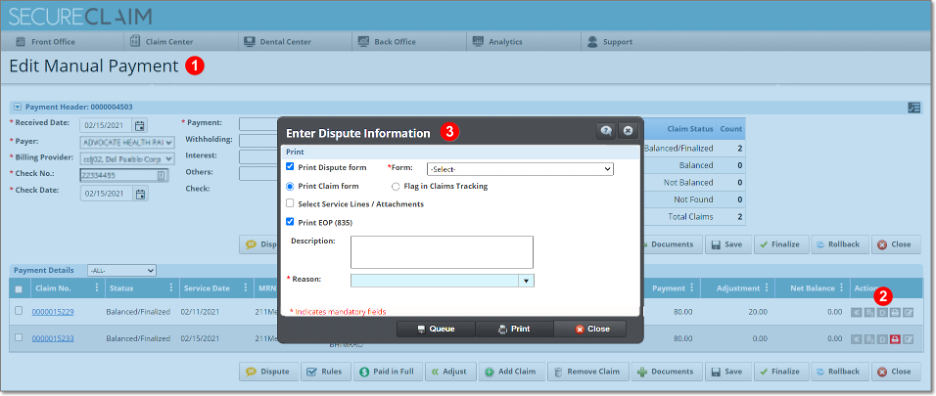
Now you can be able to dispute a claim from the Actions button in the check.
Analytics
Now you can see in Mod Fee Report if the changes were made through a claim or a check in the Type column.
FIXES
Front Office
- Email field in Contact Person of the demographic, now have the email validation.
- Now can see the Subscriber info on the demographic after a patient is created from the eligibility.
- Eligibility Last Verified date on the demography is showing the same date as the verification date on the eligibility response.
- Status drops down will display the values when an appointment is edited from the search pop up
Claim Center
While adding patient payment from appointments, claim details are loading in the grid.
Analytics
The reports with the appointments parameters inside the Report Builder can be generate.
General note: It’s recommended to regularly clean or clear the browser cache, this will improve the performance. Also, it helps to download any pending version files.
For assistance or additional information, please contact us through our chat service on;
portal.inmediata.com/chat or via email at cs@inmediata.com.
We are here to serve you!