
Release Notes of SecureTrack version 0.4.1067
Section 1: Payments
Correction and Changes
I. Claims Tracking
- We implemented the Action option to be active by default in the Default and Date view. Likewise, another internal option were hidden from the hide column list.
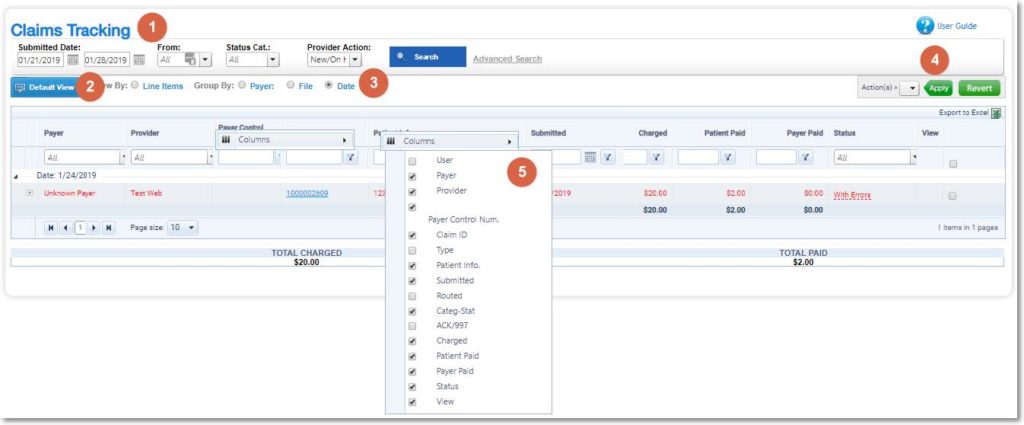
I. Claims Status
- The situation where the calendar was misplaced for the Service Date in the Submitted Claims tabs was fixed.
- Note: Was occurred only in Firefox browser.
Section 2: Files
Correction and Changes
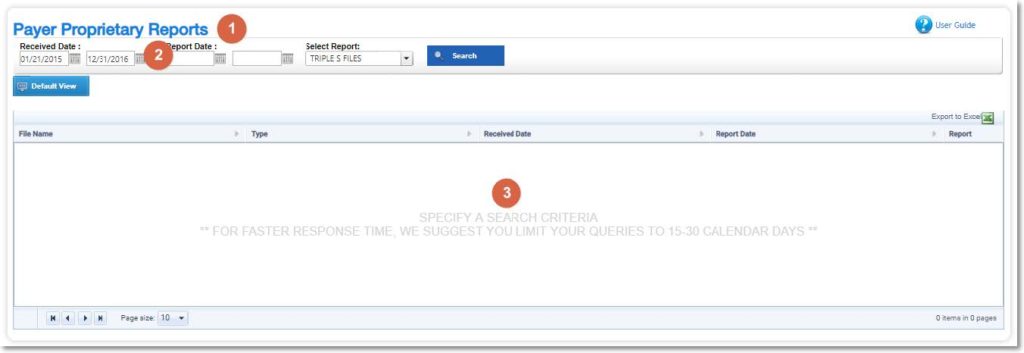
I. Payer Proprietary Report
- Now if the report is already archived, the line data will be removed from the grid.
Section 4: Other Areas
Improvements and new functionalities
I. Login
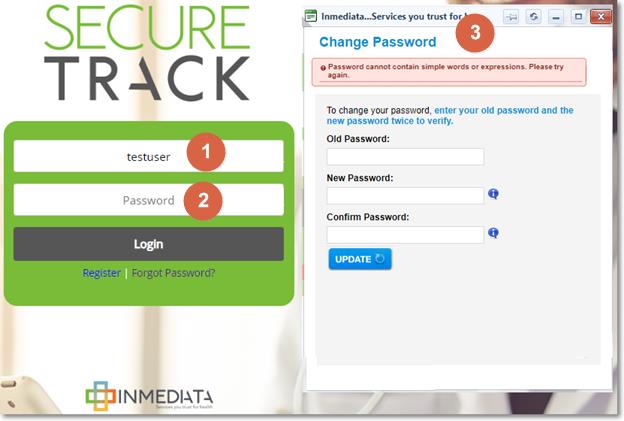
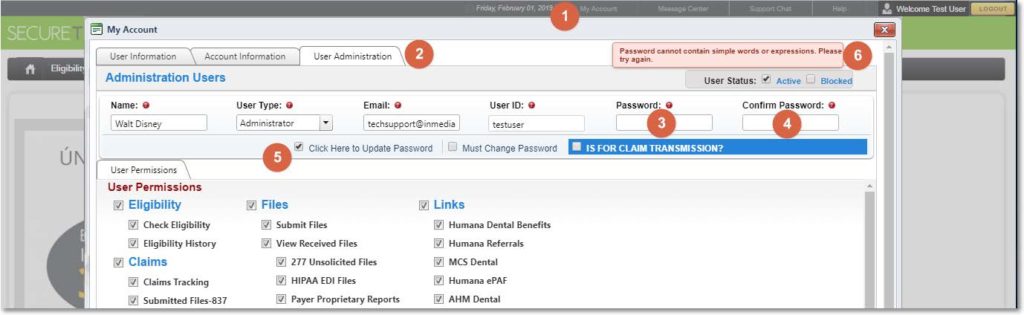
- More security controls were implemented in the passwords of the application. Now, the system will validate several phrases / words or common expressions in the passwords.
- A. After login in the application, you will be asked to change the password, ONLY FOR EMPLOYEES USERS WITHIN ENTITIES 1 and 6. This will happen if your password does not comply with all security controls.
- B. Changing a password using My Account > User Administrator > Edit User > Change Password > Click Here to Update Password.
- If you do not comply with this new rule, you will see the following message:
- ✓ Password cannot contain simple words or expressions. Please try again
Correction and Changes
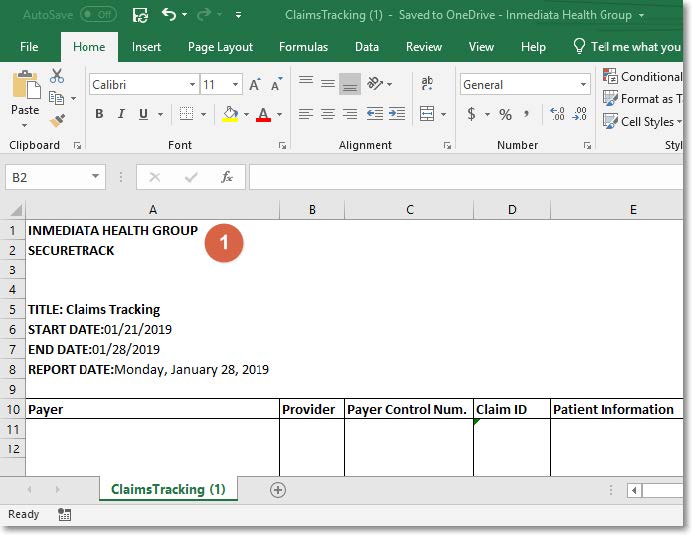
I. All Excel reports
- The Inmediata logo images was removed and replaced for data.
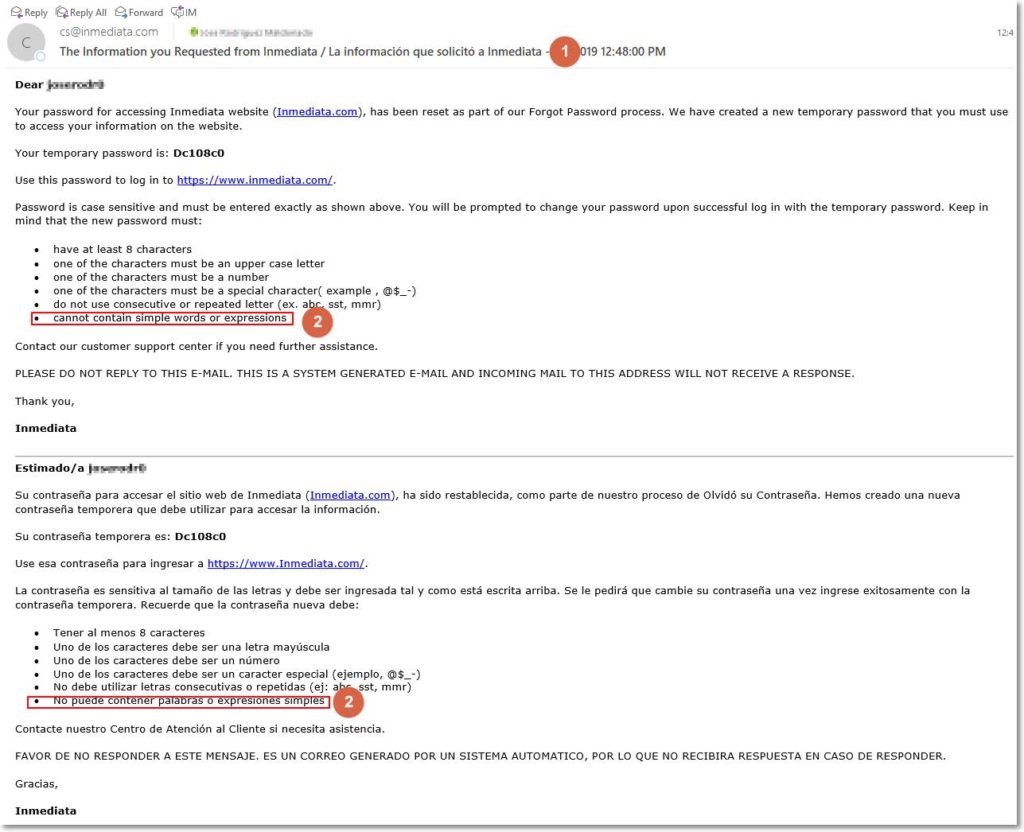
II. Forgot/Reset password letter
- In the email that’s received in the Forgot Password process, we include the following validation message:
- cannot contain simple words or expressions
III. Some areas
- Some areas were translated to Spanish:
- Change Password
- Tabs Icons and Titles from the claim tab
- NOTE: Remember the program aren’t available in Spanish on production.